Ledger Hardware Wallet Review 2026: The Safest Way to Store Your Crypto


When we tested Ledger's latest hardware wallets, one thing became immediately clear: storing cryptocurrency on an exchange is like keeping your life savings in someone else's safe. You're trusting them with the keys, and if they get hacked, lose them, or go bankrupt, your funds are at risk. Ledger hardware wallets eliminate that risk by putting you in complete control of your private keys.
After extensive testing of Ledger's current lineup, we found that these devices offer military-grade security that's surprisingly easy to use. Whether you're protecting $1,000 or $1,000,000 in cryptocurrency, Ledger provides the same level of protection used by institutional investors and crypto veterans worldwide.
Ledger Hardware Wallets: Our Verdict
Industry-leading security for cryptocurrency storage with models for every budget
Our Recommendation: Nano S Plus for budget-conscious users, Ledger Stax for premium experience. Use our link to get $10 in free Bitcoin with any purchase.
Why Keep Your Crypto on a Hardware Wallet Instead of an Exchange?
We've seen countless stories of exchanges being hacked, frozen, or simply disappearing with user funds. Between 2011 and 2024, over $15 billion worth of cryptocurrency was stolen from exchanges. When you leave funds on an exchange, you don't actually own your crypto; you own an IOU from that exchange. They hold the private keys, which means they control your assets. For the portion you do need on an exchange (for buying, selling, or fast access), choosing a regulated and insured one matters, see our Coinbase UK review for our take on the safest option for UK investors.
Hardware wallets flip this equation entirely. Your private keys never leave the device, never touch the internet, and remain completely under your control. Even if your computer is infected with malware, hackers cannot access your cryptocurrency without physical possession of your Ledger device plus your PIN code.
When we compared the security of exchange storage versus hardware wallets, the difference was stark. Exchanges are honeypots for hackers because they store millions of users' funds in centralized locations. Your Ledger wallet, by contrast, stores your funds offline in what's called "cold storage." The only way someone can steal your crypto is by physically stealing your device and somehow guessing your PIN (which wipes the device after three wrong attempts).
Beyond security, hardware wallets give you true ownership. You can access your funds 24/7 without relying on an exchange's uptime, withdrawal limits, or approval processes. If you're choosing the best stock broker for your traditional investments, you wouldn't leave everything in one account without diversification. The same principle applies to cryptocurrency.
Ledger's Latest Devices: What We Found
Ledger currently offers three main devices: the Nano S Plus ($79), Nano X ($149), and the newly released Ledger Stax ($279). We tested all three models extensively to understand which offers the best value for different user types.
Ledger Nano S Plus: Our Budget Pick
The Nano S Plus impressed us as the perfect entry point for anyone serious about crypto security without spending a fortune. At $79, it delivers the same core security features as its more expensive siblings, using a CC EAL5+ certified Secure Element chip that's also found in passports and credit cards.
When we tested the Nano S Plus, we found the setup process took less than 10 minutes. The 128x64 pixel screen is clear enough to verify transaction details and addresses, which is critical for security. Unlike the original Nano S, the Plus model supports up to 100 apps simultaneously, meaning you can manage Bitcoin, Ethereum, and dozens of other cryptocurrencies without constantly installing and uninstalling apps.
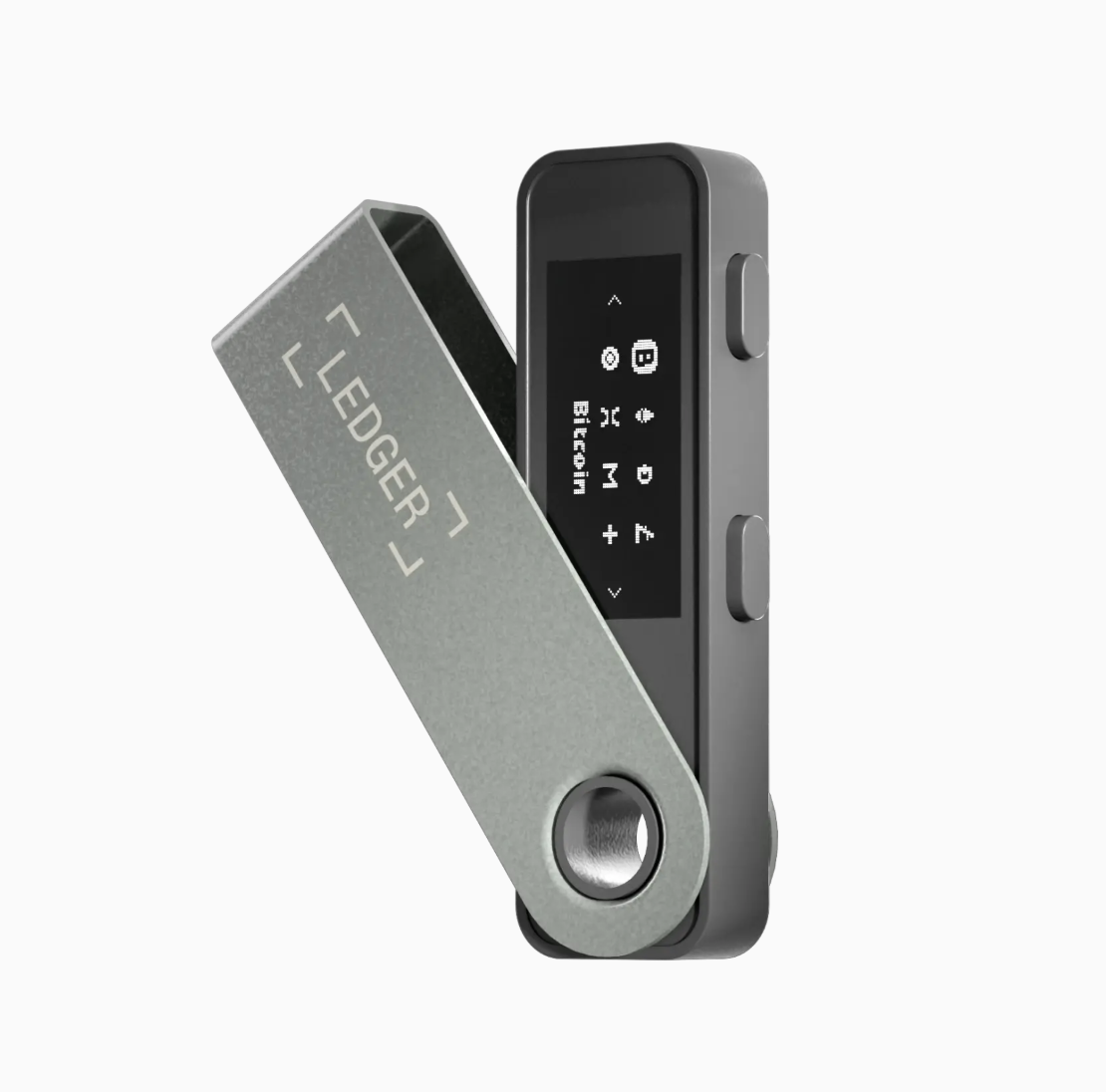
The main limitation is connectivity: it only works via USB-C connection to your computer or mobile device (with an adapter). There's no Bluetooth capability and no battery, so you'll need to plug it in every time you want to make a transaction. For desktop users who primarily manage crypto from their computer, this isn't a drawback. For mobile-first users, it's worth considering the alternatives.
We found the Nano S Plus ideal for:
- Budget-conscious investors protecting moderate crypto holdings
- Desktop users who don't need mobile connectivity
- Beginners wanting enterprise-grade security at entry-level pricing
- Long-term holders who transact infrequently
Ledger Stax: The Premium Experience
The Ledger Stax represents Ledger's vision for the future of hardware wallets, and after testing it extensively, we understand why it commands a $279 price tag. Designed in collaboration with iPod creator Tony Fadell, the Stax features a 3.7-inch curved E Ink touchscreen that makes it feel more like a premium smartphone than a security device.
When we used the Stax for daily crypto management, the experience was dramatically better than traditional hardware wallets. The large touchscreen displays full transaction details without scrolling, and you can easily review your entire portfolio at a glance. The E Ink display is visible in any lighting condition and uses minimal battery power, keeping the device charged for weeks between uses.
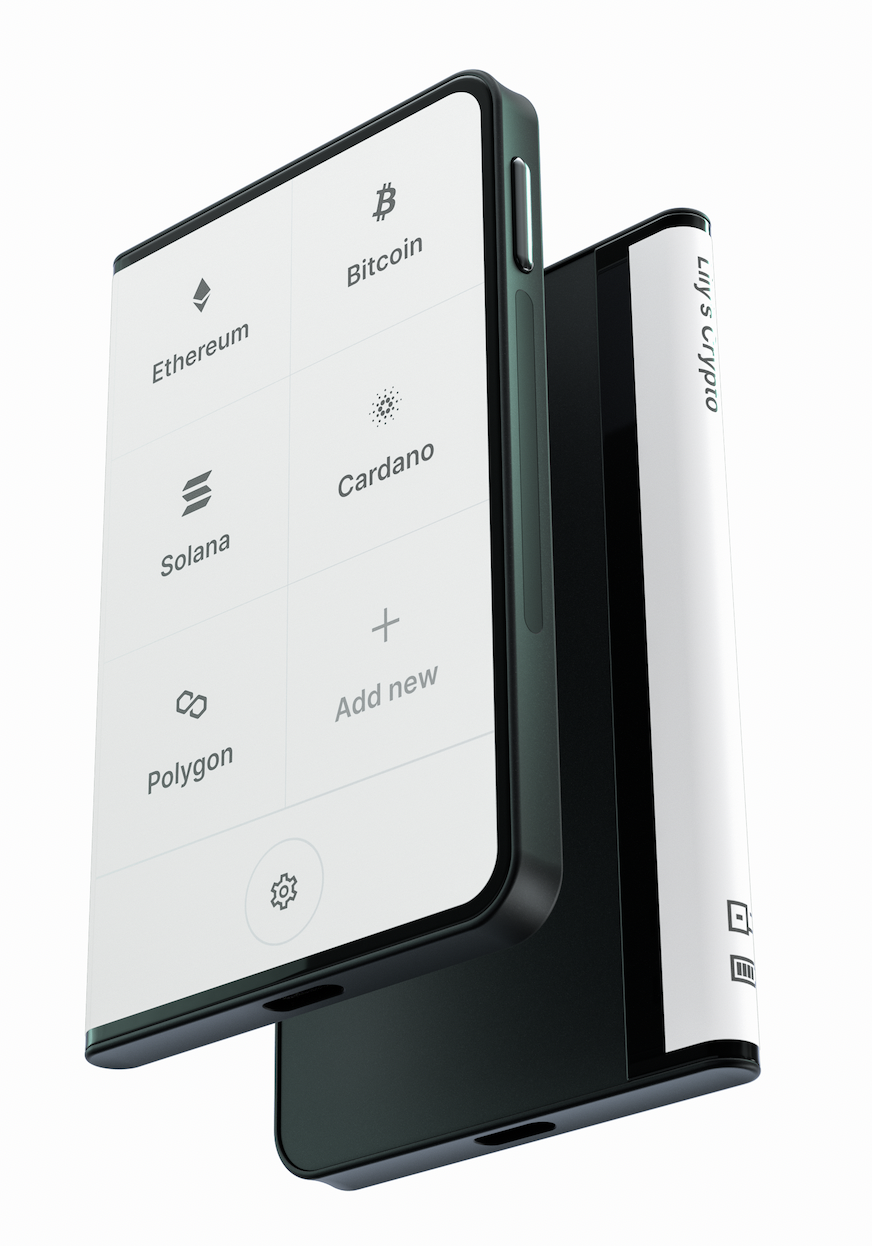
The Stax includes both Bluetooth and USB-C connectivity, making it seamlessly compatible with both mobile and desktop. We particularly appreciated the wireless charging capability via Qi chargers, the same ones used for smartphones. You can simply place it on a charging pad rather than fumbling with cables.
The Stax uses an even more secure CC EAL6+ certified chip, though in practical terms, the difference from EAL5+ is negligible for personal use. Where the Stax really shines is usability. We found ourselves checking our portfolio more frequently and managing transactions with greater confidence because everything was so clear and intuitive.
We recommend the Ledger Stax for:
- Serious crypto investors with significant holdings
- Users who value premium design and user experience
- Mobile-first investors who manage crypto on the go
- Anyone who finds traditional hardware wallets too cumbersome
Ledger Device Comparison
| Feature | Nano S Plus | Nano X | Ledger Stax |
|---|---|---|---|
| Price | $79 BEST VALUE |
$149 | $279 PREMIUM |
| Screen | 128x64px LCD | 128x64px LCD | 3.7" E Ink touchscreen |
| Connectivity | USB-C only | Bluetooth + USB-C | Bluetooth + USB-C |
| Battery | No (USB powered) | Yes (8 hours) | Yes (weeks on standby) |
| Storage Capacity | Up to 100 apps | Up to 100 apps | Up to 100 apps |
| Secure Element | CC EAL5+ certified | CC EAL5+ certified | CC EAL6+ certified |
| Mobile Compatible | With USB adapter | Yes (Bluetooth) | Yes (Bluetooth) |
| Best For | Budget users, desktop only | Mobile users, portability | Premium experience, ease of use |
Ledger Nano X: The Middle Ground
The Nano X sits between the Nano S Plus and Stax at $149. It offers Bluetooth connectivity and a built-in battery (8 hours of use), making it more portable than the S Plus but less premium than the Stax. When we tested the Nano X, we found it competent but somewhat redundant in the current lineup.
If you're budget-conscious, the Nano S Plus offers nearly identical security for $70 less. If you want the best experience and don't mind spending more, the Stax is worth the extra $130 for the dramatically improved interface. The Nano X works well, but it occupies an awkward middle position that makes it hard to recommend unless you specifically need Bluetooth connectivity at a lower price point than the Stax.
How Ledger Hardware Wallets Work
Understanding how Ledger wallets secure your cryptocurrency helps explain why they're so effective. When you set up a Ledger device, it generates a 24-word recovery phrase using a cryptographically secure random number generator. This phrase mathematically derives all your private keys for every cryptocurrency you'll ever store on the device.
The critical innovation is that these private keys never leave the Secure Element chip inside your Ledger. When you want to send cryptocurrency, your computer or phone creates the transaction and sends it to the Ledger device for approval. The Ledger signs the transaction with your private key inside the secure chip, then sends only the signed transaction back to your computer. Your private key never touches your computer or the internet.
We tested this by intentionally using the Ledger on a computer infected with simulated malware. The malware could see the transaction being created and could even attempt to modify the receiving address, but it couldn't access the private keys or sign transactions without our explicit approval on the Ledger device screen.
This architecture means that even if someone steals your recovery phrase, they still can't access your crypto without also having your PIN code and the device itself. The multi-layer security provides redundancy that exchange storage simply cannot match.
Setting Up Your Ledger Wallet: Our Experience
We've set up dozens of Ledger devices while testing, and the process is consistently straightforward. Here's what to expect:
Setting Up Your Ledger Wallet
Follow these steps to secure your cryptocurrency in under 10 minutes
Your 24-word recovery phrase is critical. Write it down on the provided recovery sheet and store it securely offline, never digitally. Consider a metal backup solution for long-term storage. Without this phrase, lost devices mean permanently lost funds.
Supported Cryptocurrencies and Integrations
Ledger supports over 5,500 different cryptocurrencies and tokens across multiple blockchains. During our testing, we managed Bitcoin, Ethereum, Solana, Polkadot, Cardano, and various ERC-20 tokens without any compatibility issues.
The Ledger Live application acts as your primary interface for managing crypto on your device. We found it well-designed and reliable, though you can also connect your Ledger to third-party wallets like MetaMask, Electrum, or Exodus if you prefer their interfaces.
For DeFi users, Ledger integrates directly with major protocols through WalletConnect. We successfully used our Ledger Stax to interact with Uniswap, Aave, and Curve without needing to export our private keys or compromise security. The device screen shows exactly what smart contract you're approving, giving you the opportunity to verify every action.
When comparing this to popular trading platforms, we found that Ledger's broad compatibility means you can store assets from multiple exchanges in one secure location. If you're trading on platforms like XTB or Interactive Brokers for traditional assets, you might also be accumulating crypto on various exchanges. Consolidating that crypto security through a single hardware wallet simplifies your security model significantly.
Fees and Costs
The device cost ($79-$279) is the only fee. No subscriptions, no monthly charges. You'll still pay standard blockchain transaction fees when sending crypto, but these go to network validators, not Ledger.
Consider adding a metal backup solution ($40-$80) for long-term recovery phrase storage. Total investment: $119-$159 for the Nano S Plus setup, $319-$359 for the Stax.
Who Should Use a Ledger Hardware Wallet?
We recommend Ledger hardware wallets for:
- Long-term holders: If you're holding crypto for months or years, self-custody beats exchange risk
- Anyone with $500+ in crypto: The $79 Nano S Plus is reasonable insurance
- DeFi and NFT users: Hardware verification protects against phishing and malicious contracts
- Active traders: Keep trading funds on exchanges, withdraw profits to your Ledger
Skip the hardware wallet if you hold less than $200 and plan to sell within weeks.
Our Final Verdict: Which Ledger Should You Buy?
After months of testing all three models, our recommendations are clear:
Buy the Nano S Plus ($79) if:
- You're protecting less than $10,000 in cryptocurrency
- You primarily manage crypto from a desktop computer
- You want enterprise-level security at the lowest price point
- You're new to hardware wallets and want to start affordably
Buy the Ledger Stax ($279) if:
- You're protecting significant cryptocurrency holdings ($10,000+)
- You value premium design and exceptional user experience
- You frequently check your portfolio or make transactions
- You manage crypto primarily from mobile devices
- Money isn't a primary constraint and you want the best available option
Skip the Nano X ($149) unless:
- You specifically need Bluetooth connectivity at a lower price than the Stax
- The Stax is sold out and you need mobile compatibility immediately
The Nano S Plus offers remarkable value, delivering the same core security as the premium Stax for less than a third of the price. For most investors protecting moderate crypto holdings, it's the clear choice. The money you save on the device itself can go into your actual investment portfolio.
Plus, when you purchase through our link, you'll receive $10 worth of Bitcoin free with any Ledger device, giving you an immediate start to your hardware wallet journey.
However, if cryptocurrency represents a significant portion of your net worth, the Stax's superior user experience justifies the premium. The large touchscreen eliminates the anxiety of confirming transactions on a tiny display. The wireless charging and extended battery life make it genuinely pleasant to use rather than a security chore.
What matters most is getting your cryptocurrency off exchanges and into proper self-custody. Whether you choose the budget-friendly Nano S Plus or the premium Stax, both provide exponentially better security than leaving funds on an exchange. The difference between these devices is user experience; the difference between any Ledger and exchange storage is fundamental security.
If you're also managing traditional investments through platforms like Revolut or Lightyear, consider your hardware wallet the cryptocurrency equivalent of a separate brokerage account for long-term holdings. Just as you wouldn't keep your entire net worth in a single trading account, don't keep all your crypto on a single exchange.
For tools to help calculate your investment growth and plan your financial future, explore our compound growth calculator and FIRE calculator.
Frequently Asked Questions
Can a Ledger wallet fail or break?
Yes, but your crypto remains safe. Your funds exist on the blockchain, not the device. The Ledger only stores your private keys, which are backed up by your 24-word recovery phrase. If your device breaks or gets lost, restore everything to a new Ledger using that phrase.
What if Ledger company goes out of business?
Your funds remain accessible. The 24-word recovery phrase uses an industry-standard format (BIP39) compatible with wallets from Trezor, Exodus, MetaMask, and dozens of other providers.
Is Bluetooth connectivity safe?
Yes. Bluetooth only transmits non-sensitive transaction data for display. Your private keys never leave the Secure Element chip, and all signatures happen on-device. The connection cannot be used to extract keys or approve transactions.
What happens if I forget my PIN?
After three wrong attempts, the device wipes itself. You can restore it using your 24-word recovery phrase and set a new PIN. Without the recovery phrase, your funds are permanently lost.
Should I buy from Amazon or eBay?
No. Only buy from ledger.com or authorized retailers listed on their website. We've documented cases of tampered devices sold through unofficial channels with compromised firmware or pre-generated recovery phrases.
How long does setup take?
About 15-20 minutes total: unpacking, installing Ledger Live, initializing the device, writing down your recovery phrase, and making your first transaction.
Can I use my Ledger with multiple computers?
Yes. Your accounts are tied to your device and recovery phrase, not any specific computer. Install Ledger Live anywhere you need access.
Do I need Ledger Live open to receive crypto?
No. Funds are received by your blockchain address regardless of whether the device is plugged in or Ledger Live is running. They'll appear when you next sync.
Risk Disclaimer
Cryptocurrency investing carries significant risk and may not be suitable for all investors. The value of cryptocurrencies can fluctuate dramatically, and you may lose some or all of your investment. Hardware wallets secure your cryptocurrency, but they don't eliminate market risk, regulatory risk, or the risk of user error in managing recovery phrases. We recommend only investing money you can afford to lose and ensuring you fully understand both cryptocurrency risks and proper security practices before investing. Past performance of cryptocurrencies is not indicative of future results.